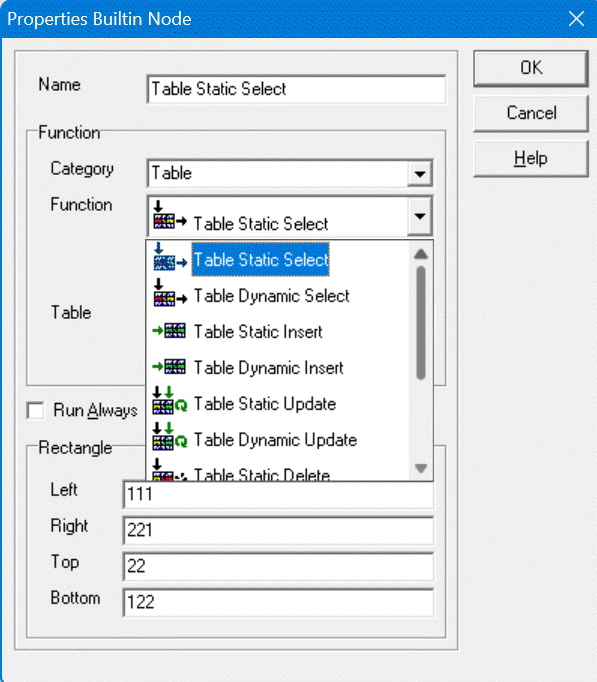
There are 8 different Table Built-in Nodes:
- Table Select Row, Static and Dynamic.
- Table Insert Row, Static and Dynamic.
- Table Update Row, Static and Dynamic.
- Table Delete Row, Static and Dynamic.
Static Table Nodes
When adding a Static Table Node to the Factory, you must specify an existing Table. When the Node is created, you can easily refer to Columns, because the Table is already specified. There are 4 kinds of Static Table Nodes: Select, Insert, Update and Delete.
Filtering rows of Static Select, Update and Delete Table Nodes
- The Input Row Number
- The Input Match Number
- Zero of more Column Filter Inputs Filter ...
- When you fill the Input Row Number with an one-based integer, and no Column Filter Input exists, exactly this row will be selected, the first row has number 1. (same effect of you only fill Input Match Number.
- When the Nodes has Column Filter Inputs, every value of the Input is compared to the value of the cell of every row. The row is only selected of all Inputs matches to all cell of the row. When a Column Filter Input has value Undefined, then the value of the cell of the row must also be Undefined. When you don't want to match the Filter Input to the cell, you must delete the Filter Input.
- When you combine the Column Filter Input with Inputs Match Number Only the row that matches that many times the Column Filter Inputs, will be selected. If the Match Number is higher than the number of found rows, no Row will be selected.
- When you combine the Column Filter Input with Inputs Row Number Only the row of that number will be selected if that also matches the Column Filter Inputs.
- When you combine both Inputs Row Number and Match Number, no rows will be selected, this combination has no sense.
- When there are no Column Filter Inputs, and no other Inputs are filled, all rows of the table will be selected.
Dynamic Table Nodes
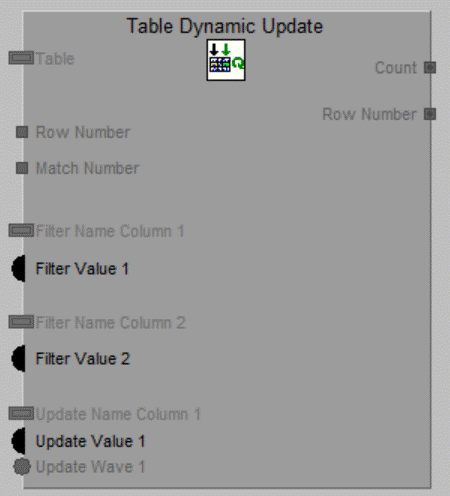
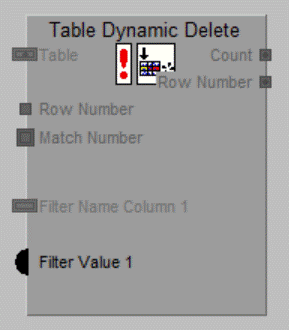
When adding a Dynamic Table Node to the Factory, you do not specify a Table. The Node has a Mandatory Input for the Name of the Table. For each Column you will use, it has an Input for the Name of the Column, beside the Value for the Column. There are 4 kinds of Dynamic Table Nodes: Select, Insert, Update and Delete. TODO: Het filteren! TODO: Hoe kun je een kolom dynamisch uitschakelen??
Select Table Nodes
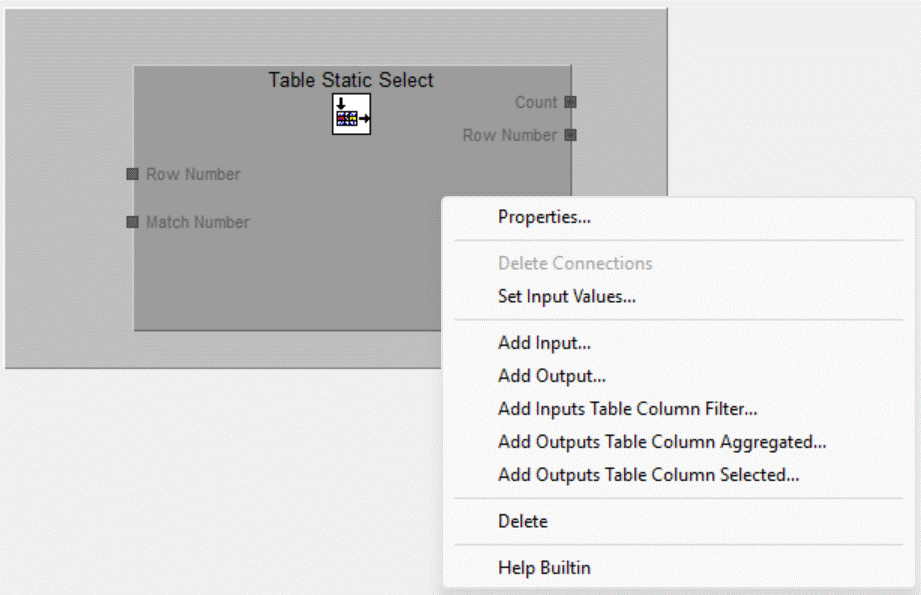
- when no Row is selected that match the criteria given by the Inputs, Output Count becomes 0, and the other Output becomes Undefined.
- When one Row is found, Output Count becomes 1 and the Column Outputs Selected ... gets the Values out of the found Row. and Output Row Number gets the one-based Row number of the found Row.
- When more than one rows is found, Output Count becomes the found Rows, and the other Output becomes Undefined.
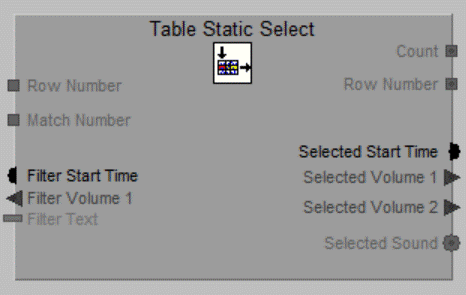
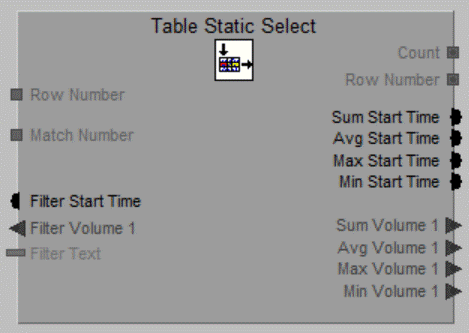
You can also add Outputs "Agregated Columns". These Colums must be Numeric. These Outputs are filled when one of more Rows are found. For each Column there are 4 Outputs:
- Sum ... The sum of the found values.
- Avg ... The average of the found values.
- Max ... The maximal value of the found values.
- Sum ... The minimal value of the found values.
You can only use numeric Table Columns for agregating.
Dynamic Select Table Nodes
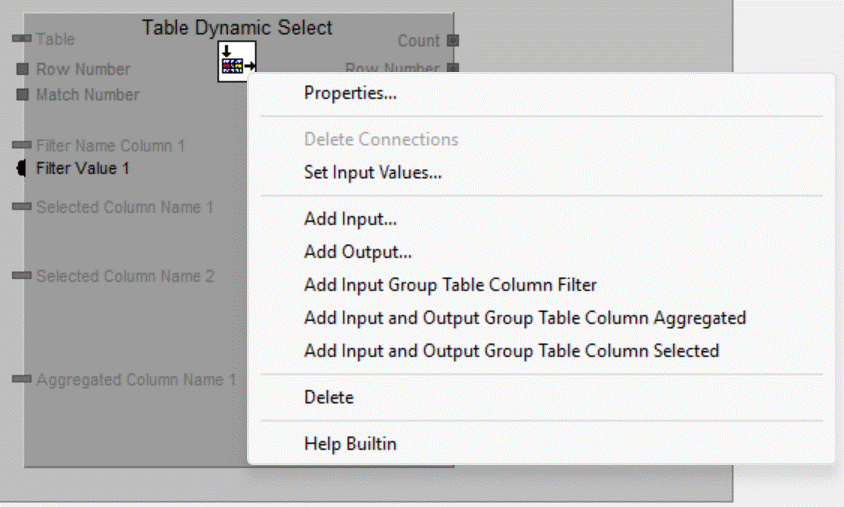
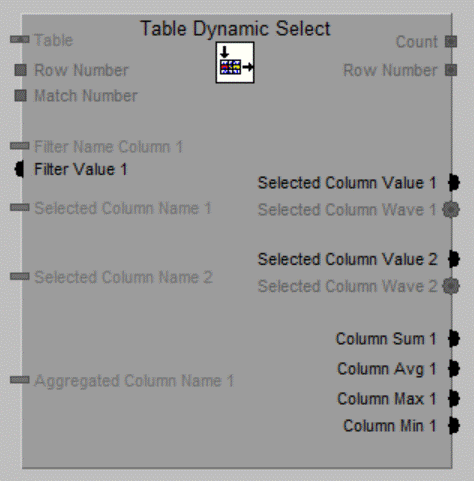
When you add an Input Group for filtering Rows by a value at the Column, you get an Input Filter Name Column n for the name of the Column and also an Input Filter Value n for the Filter Value.
When you add an Output Group for the selected value of the Column or the Aggregated value for one of more selected Rows, then also an Input Selected/Aggregated Column Name n is added to fill in the name of the Column. For selected value both Output Selected Column Value n as
Insert Table Nodes
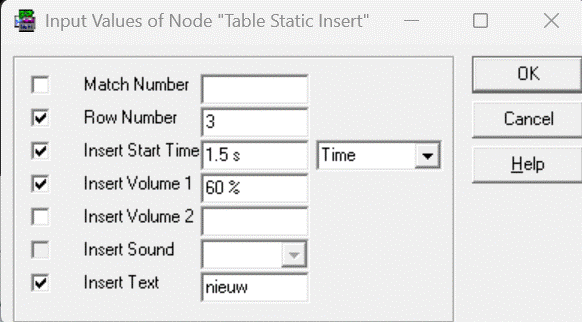
The values of the Inputs of the first Table Static Insert Node:
After the run the Table has two additional Rows, marked as yellow:
The third row is added by the first Insert Node, you see that in Column Sound you see the text "(Assigned Wave)", this means the Wave is stored into the Table instead of refered to a Wave Window.
Dynamic Insert Table Nodes
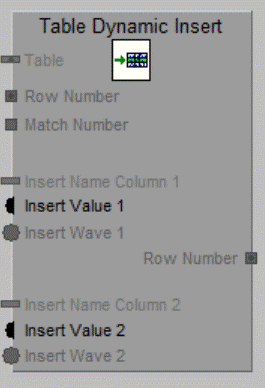
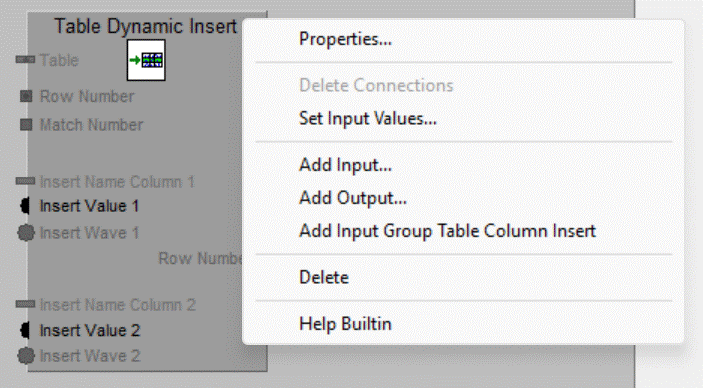
You can add Node Groups for each Column to fill:
Fill Input Insert Name Column n with the name of the Column to fill. If the Column is of a Wave-type you give the Input Insert Wave n the Value of the Wave, of else the Input Insert Value n.
Update Table Nodes
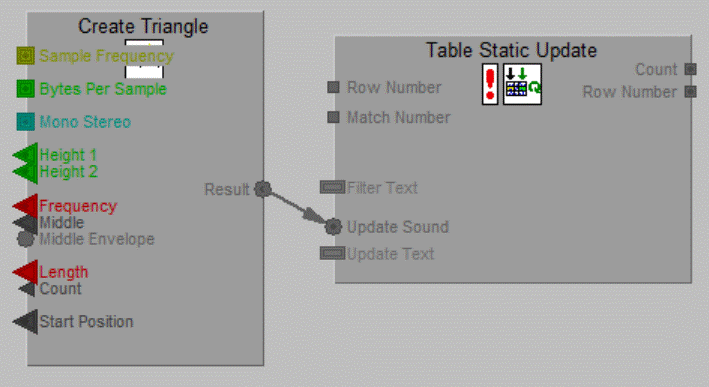
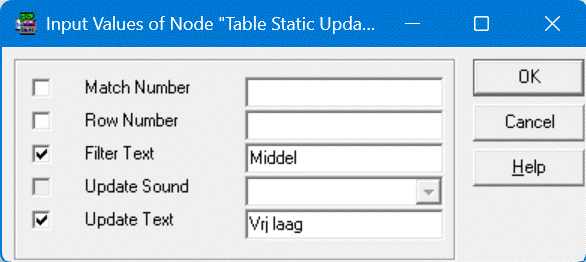
The values of the Inputs of the Table Static Update Node:
After the run the Table has three updated Rows, marked as yellow:
The Output Count is filled with value 3, and Output Row Number is Undefined.
Dynamic Update Table Nodes
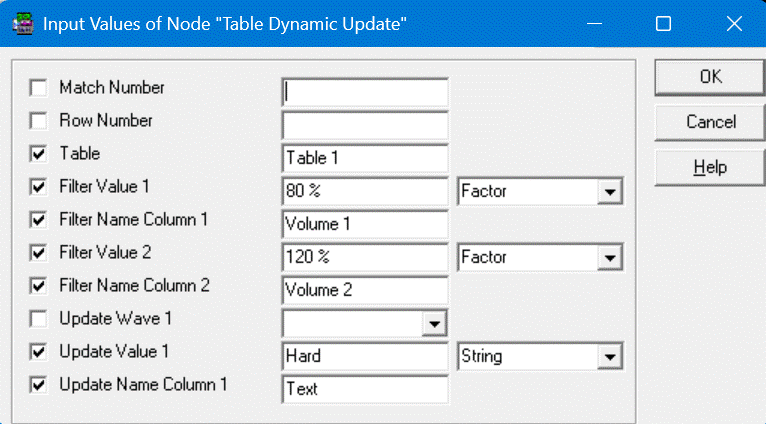
The values of the Inputs of the Table Static Update Node:
After the run the Table has three updated Rows, marked as yellow:
The Output Count is filled with value 1, and Output Row Number is filled with value 5.
Delete Table Nodes
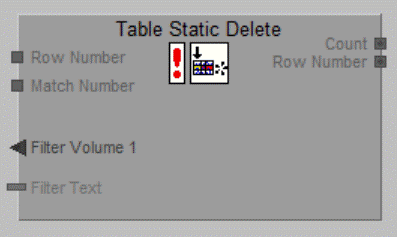
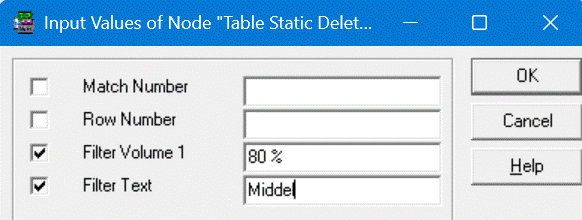
The values of the Inputs of the Table Static Delete Node:
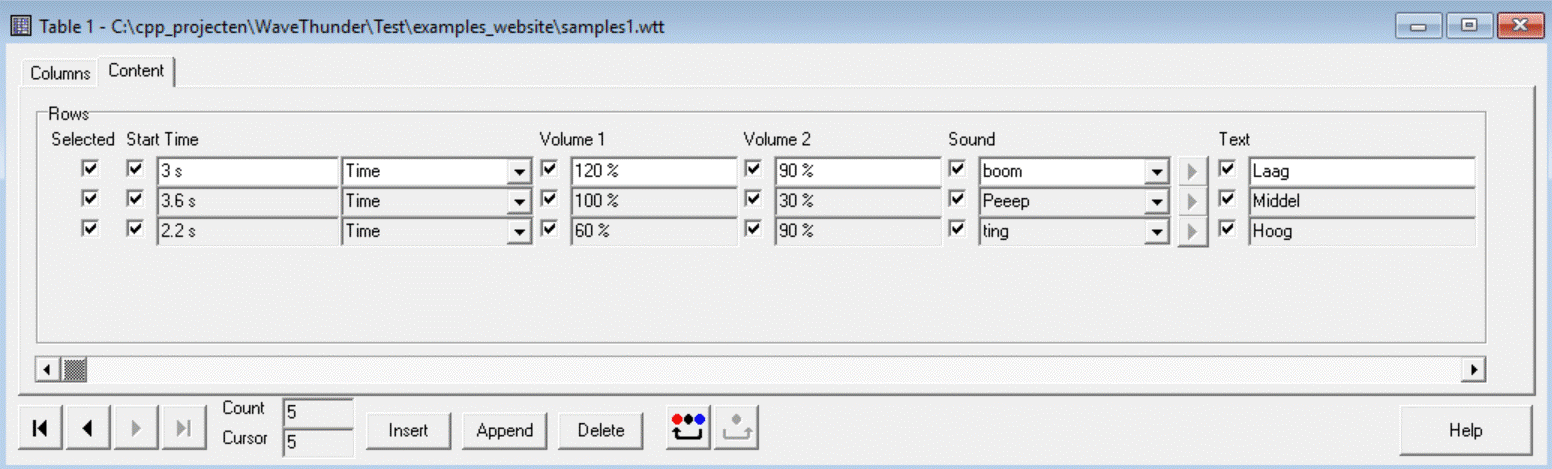
The table after the run of the Table Static Delete Node:
Dynamic Delete Table Nodes
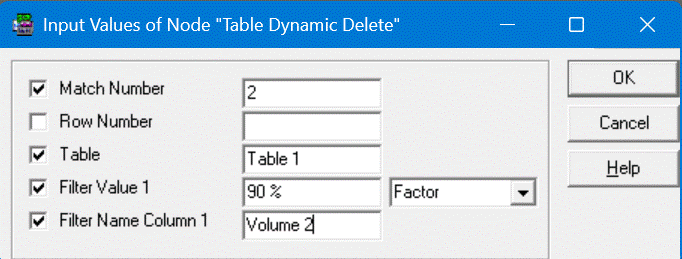
The values of the Inputs of the Table Dynamic Delete Node:
The table after the run of the Table Dynamic Delete Node:
The Output Count is filled with value 1, and Output Row Number is filled with value 4.
You can add additional Inputs for each Column. The values of these Inputs are set in the new Row, after the run.
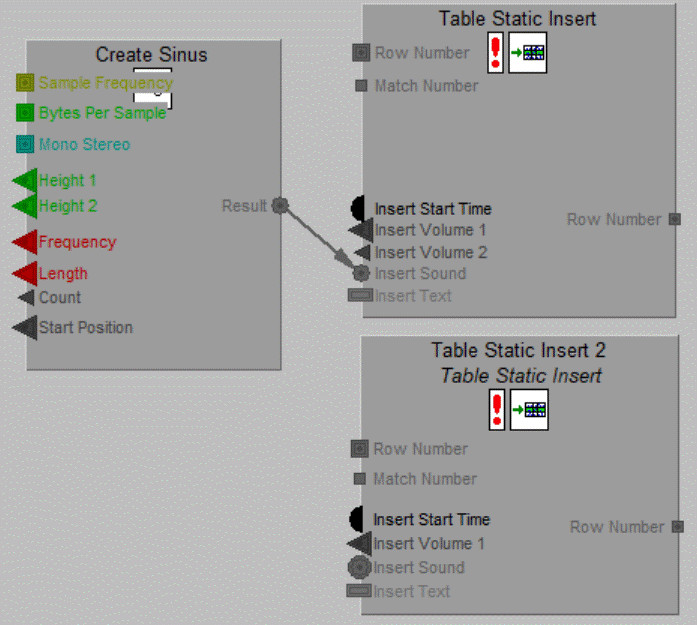
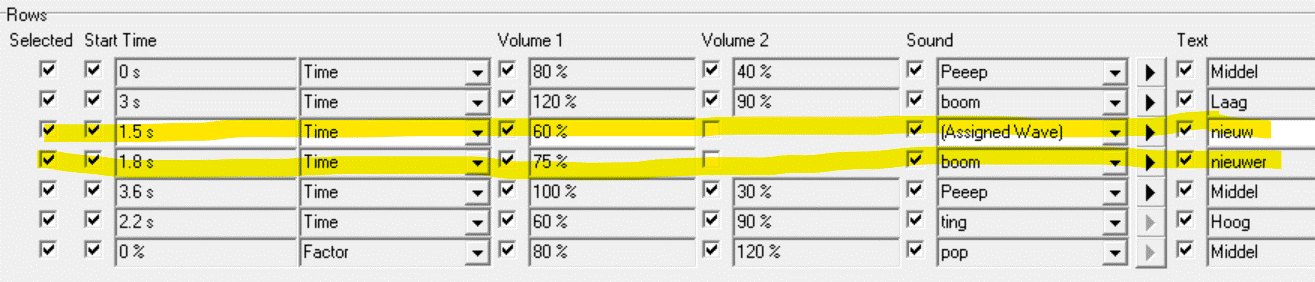
The fourth Row is added by the second Insert Node, you see that in Column Sound you see the text "boom", this means the Wave is refered to a Wave Window having the name "boom".



Last updated: 10-11-2025