Maintaining Factories
Factory Units
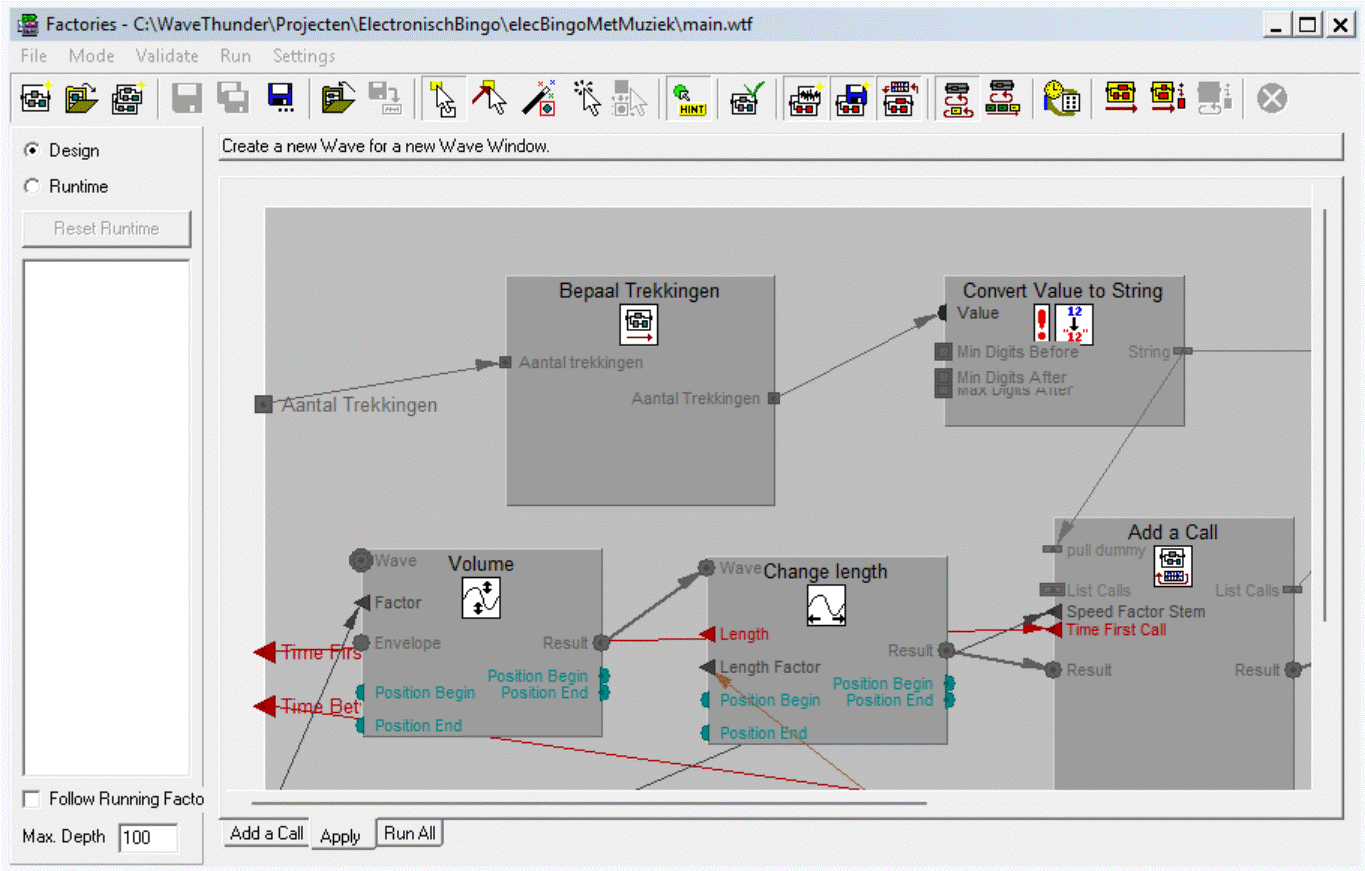
With Factories you can:
- Create a new Factory: In the menu of the Factories view: File | New factory... In the menu of the Main Window: File | New | Factory...
- Open a Factory: In the menu of the Factories view: File | Open factory... In the menu of the Main Window: File | Open | Factory...
- Duplicate a Factory: In the menu of the Factories view: File | Duplicate
- Save a Factory: In the menu of the Factories view: File | Save (or Save as... in another file)
- Save all Factories of the Factories View: In the menu of the Factories view: File | Save all
- Revert a Factory (open the same Factory again, reverting unsaved changed): In the menu of the Factories view: File | Revert
- Close a Factory: In the menu of the Factories view: File | Close
Actions inside a Factory
- Creating Nodes.
- Add Input or Output to Factory or Node.
- Change Function of Builtin Node.
- Add, Edit and Delete Description at a Factory, Factory Input and Factory Output.
- Make Connections between of Inputs and Outputs.
- Replace or Move Connections.
- Remove Connections from Inputs or Outputs.
- Rename a Node.
- Change Function of Builtin Node.
- Resize or Move a Node.
- Delete a Node.
- Rename Input or Output.
- Show or Hide Hints at Inputs and Outputs.
- Change Type Domain or Value Domain of Input or Output.
- Toggle between Optional and Mandatory Content of Input or Output.
- Change Memory Mode of an Wave Input or Wave Output.
- Add, Change or Delete the Content to Node Input or Factory Output.
- Move Input or Output Vertically.
- Delete Input or Output.
Factory Window cursor Modes
- I/O Drag: Move Inputs and Outputs by dragging.
- I/O Connect: Draw Connection between Inpus and Outputs
- Toggle I/O Memory: Change the Memory Mody of Node Output by clicking on it.
- Delete Object: Delete Inputs and Output by clicking on it.
- Delete Wave: Delete Wave out of Input and Outputs by clicking on it.