Files Iterate Factory
Creating the Factory
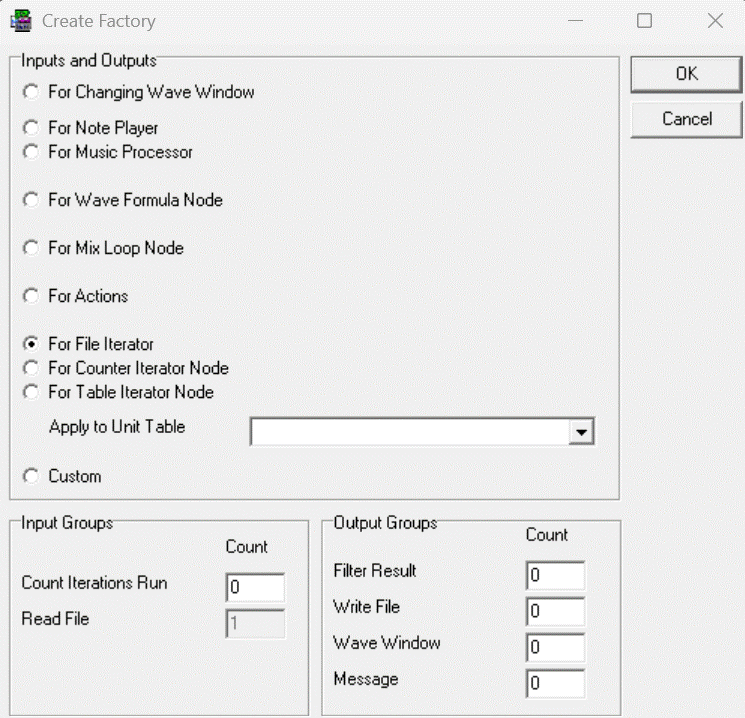
- In the menu, Choose: File | New | Factory... .
- Choose option For File Iterator
- You can add input Groups and Output Groups by increase the values under Count.
- After pressing Ok the Factory is created
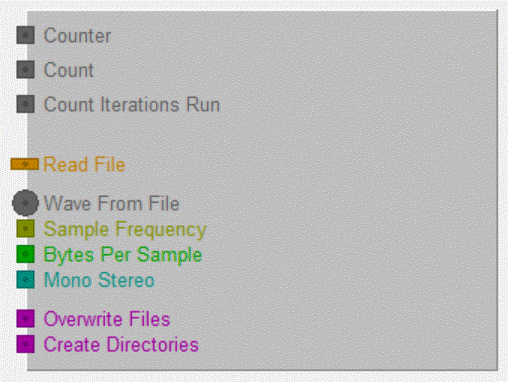
- Input Counter is filled with the totaal count of selected files
- Input Count is filled with the one-based number of the currect file
- Input Count Iterations Run is filled with count of iterations that has run before this iteration
- Input Read File is filled with the complete (absolute) filename of the selected wave file
- Input Wave From File is filled with the loaded wave from the selected file
- Inputs Sample Frequency, Bytes per Sample and Mono Stereo are the properties of the loaded wave
- Inputs Overwrite Files and Create Directories are filled by the user of this Factory
Running the Factory
The Following dialogbox appears to select files to be processed by the factory:
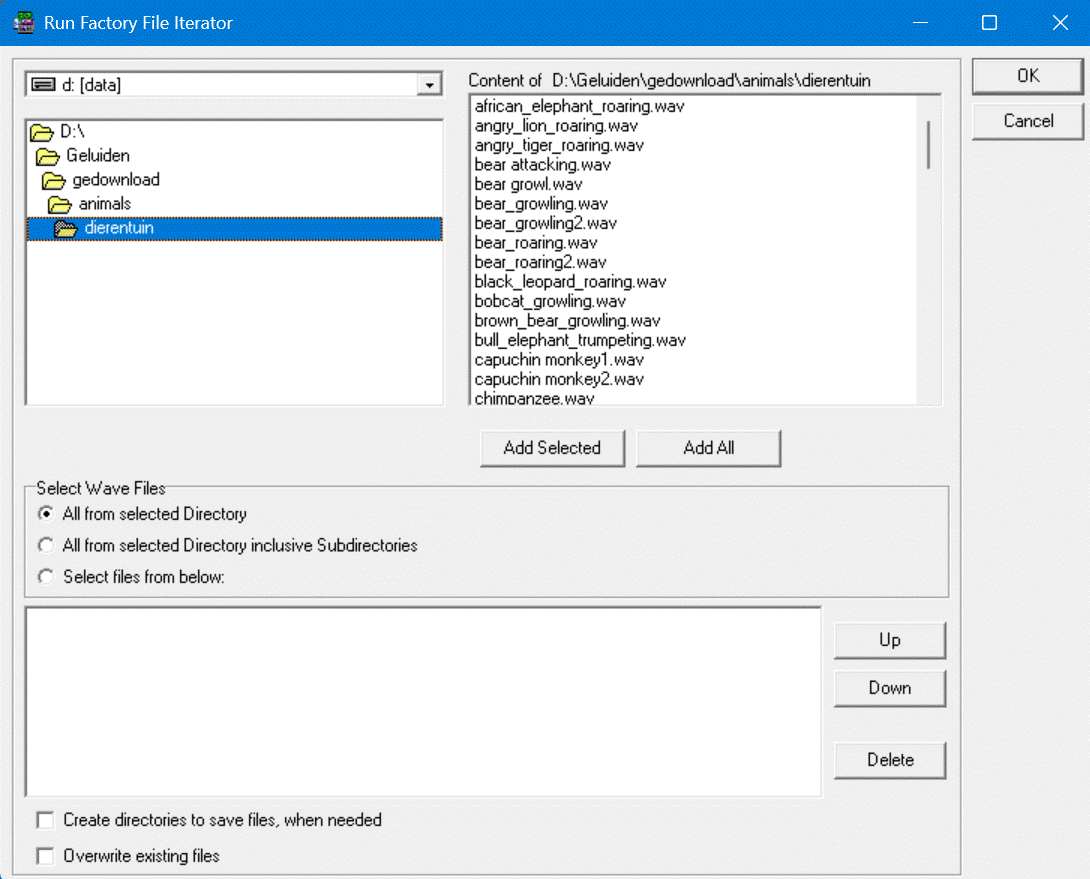
There are three possible ways to select files by choosing a option under Select Wave Files:
- All from selected Directory: All wave files of the selected directory are selected in alfabetical order. Beside you see a list of the files of the selected direcory. Making selections of these listed files has no effect, all files of the selected directory are always selected.
- All from selected Directory inclusive Subdirectories: All wave files of the selected directory are selected in alfabetical order. First the files in the selected directory are selected, and then the files in the (nested) subdirecties. Also the subdirectories are selected in alfabetical order.
- Selectedfiles from below:
All files listed in the listbox below are processed from up to down by the factory is that order.
You can add files to the list by browsing through files in the upper part of the dialogbox and add files by using the buttons [Add Selected] (for adding only the selected files) and/or [Add all] (for adding all listed files).
You can delete the selected files from the lower listbox by using the button [Delete]. (the files itself are not deleted).
You can move the selected files up or down in the lower listbox by using the buttons [Up] or [Down].