Table Iterate Factory
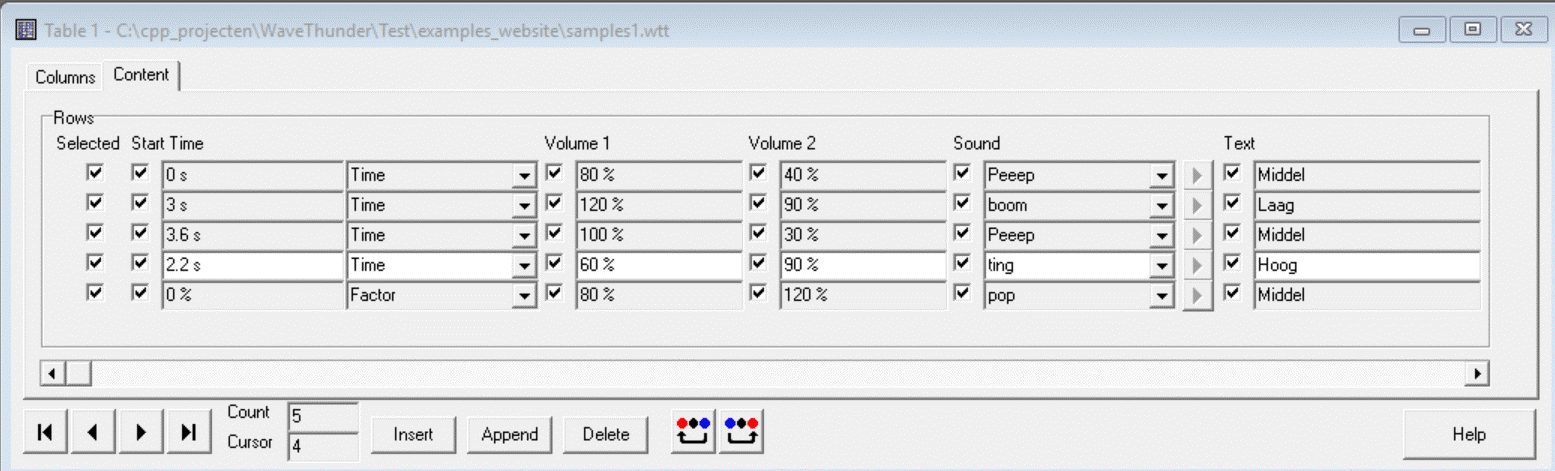
You can create a Factory that iteraties through rows of a Table.
Creating the factory
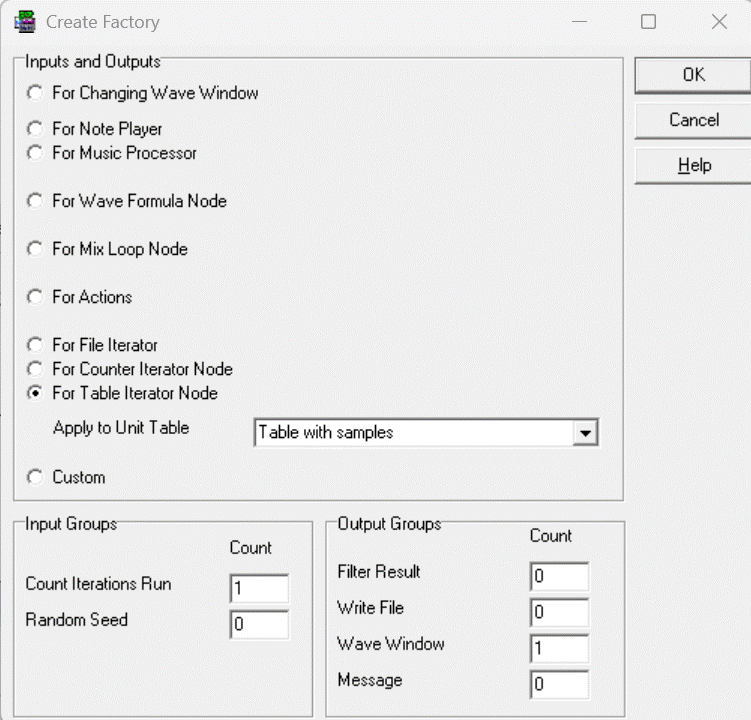
- Choose option For Table Iterator Node
- Choose the name of the table in the picklist Apply to Unit Table
- You can add input Groups and Output Groups
- After pressing Ok the Factory is created
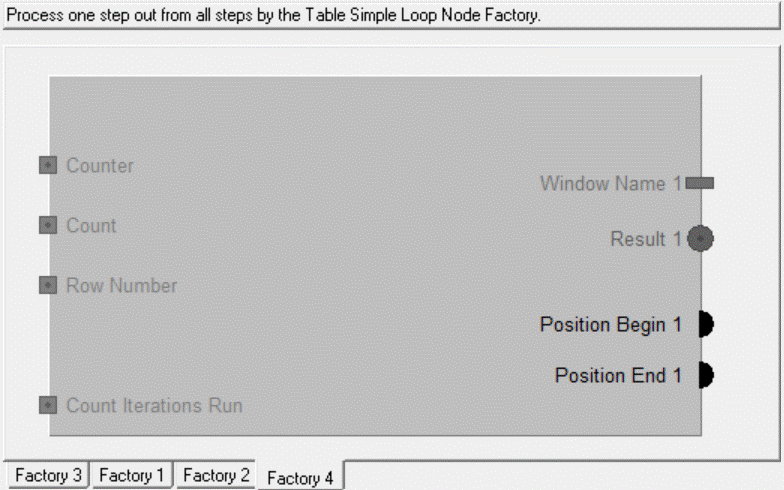
- Input Counter is filled with the totaal count of Selected rows of the Table
- Input Count is filled with the one-based number of the currect row, only the Selected rows counted
- Input Row Number is filled with the one-based number of the currect row, all rows of the tabel counted
- Input Count Iterations Run is filled with count of iterations that has run before this iteration
The Outputs are the standaard Outputs for the selected actions choosen in the dialogbox before.
Adding Column-inputs to the factory
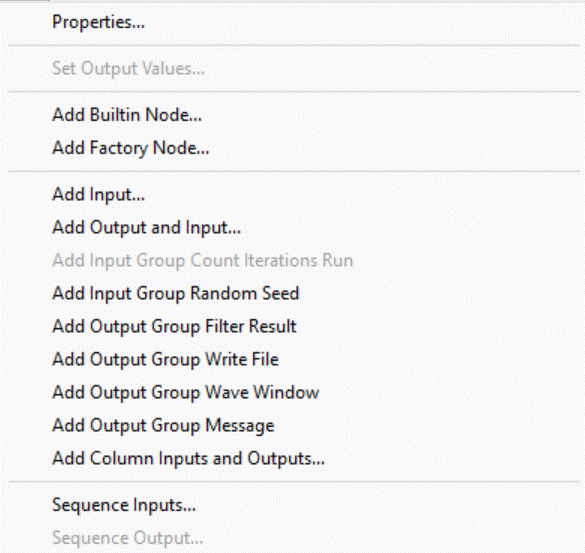
Choose Add Column Inputs and Outputs
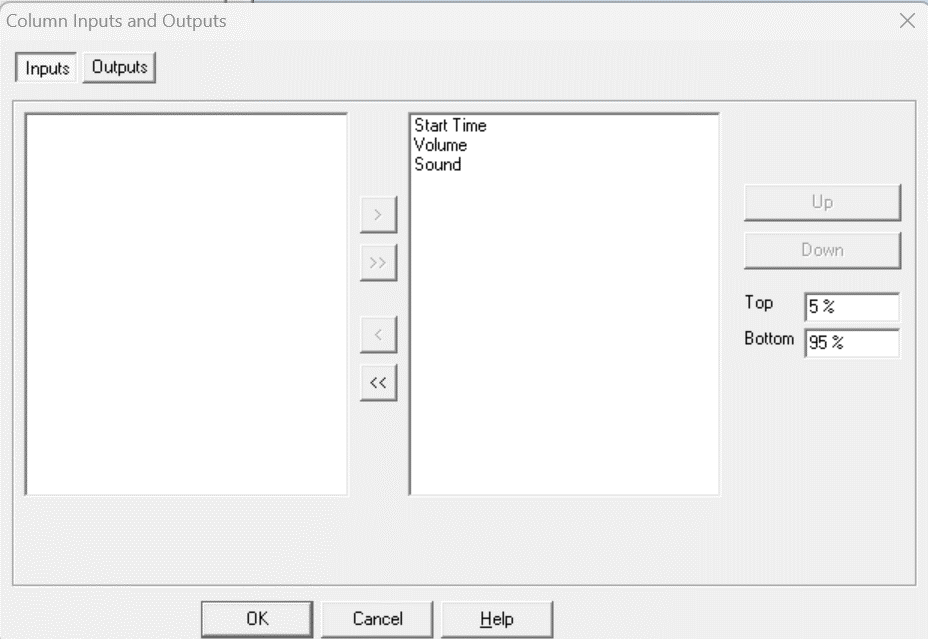
Choose all Columns by >>, after pressing Ok the three Inputs are added to the Factory.
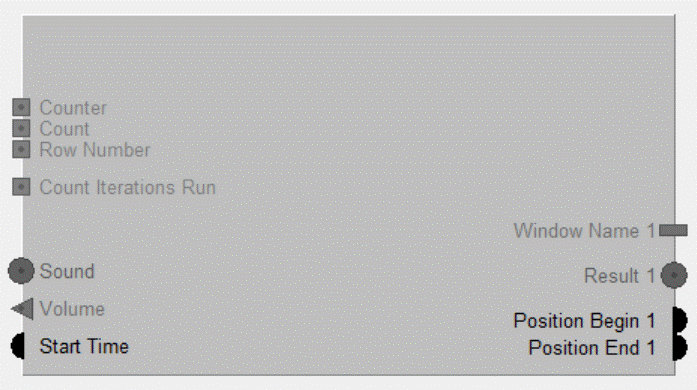
The Factory will be called three times, because all three rows are selected in the Table.
The Inputs Sound, Volume and Start Time is filled by the values of the currect row.
If one or more checkboxes under Column Selected of the Table are cleared, these rows are skipped and less iterations will be executed.
Now you can fill in the Factory...