Music Parts
- In a different tempo, slower or faster.
- On a differen height, tranposing the Music Part durecing playing.
- Use a differen Music Player.
There are three kinds of Music Parts:
- Single Music Part, containing Music Elements.
- Repeat Music Part, repeating the Music in the subtree of the Repeat Music Part x times.
- Turns Music Part, plays the subtree of the turns Music Parts using an condition, and possible transponate or change tempo when playing the subtree.
You can define the relative tempo of the begin and end of every Music Part.
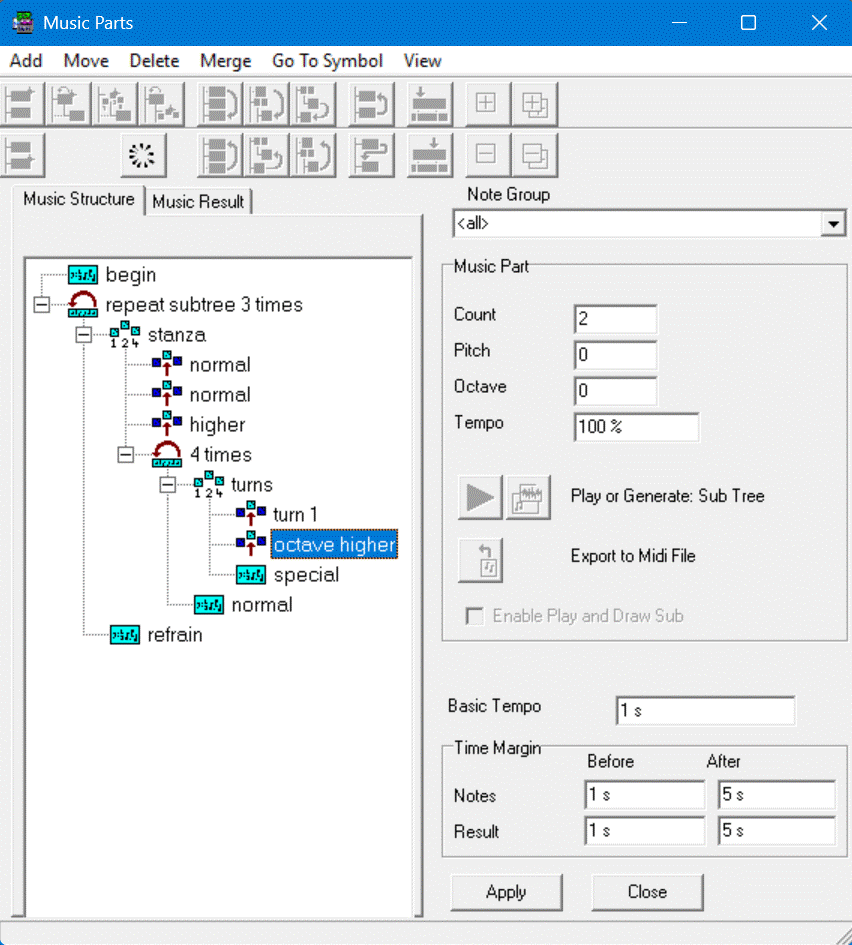
In the example above, there are:
- 4 Single Music Parts ("begin", "special", "normal" and "refrain")
- 2 Repeat Music Parts ("repeat subtree 3 times" and "4 times")
- 2 Turns Music Parts("stanza" and "turns")
- 5 Turns ("normal","normal","higher","turn 1" and "octave higher")
The subtree of "stanza" is played 3 times, the third time at a higher pitch.
Note that the Single Music Part "special" is played 12 times in total, also "normal" is played 12 times, "refrain" is played 3 times.
You can temporaly exclude one or more Music Parts (and the subtree) for playing and drawing in the Music Window.
In the dialogbox you can select an Music Part and Play this pressing the Play Button in the dialogbox.
You can see the result by selecting tab "Music Result":
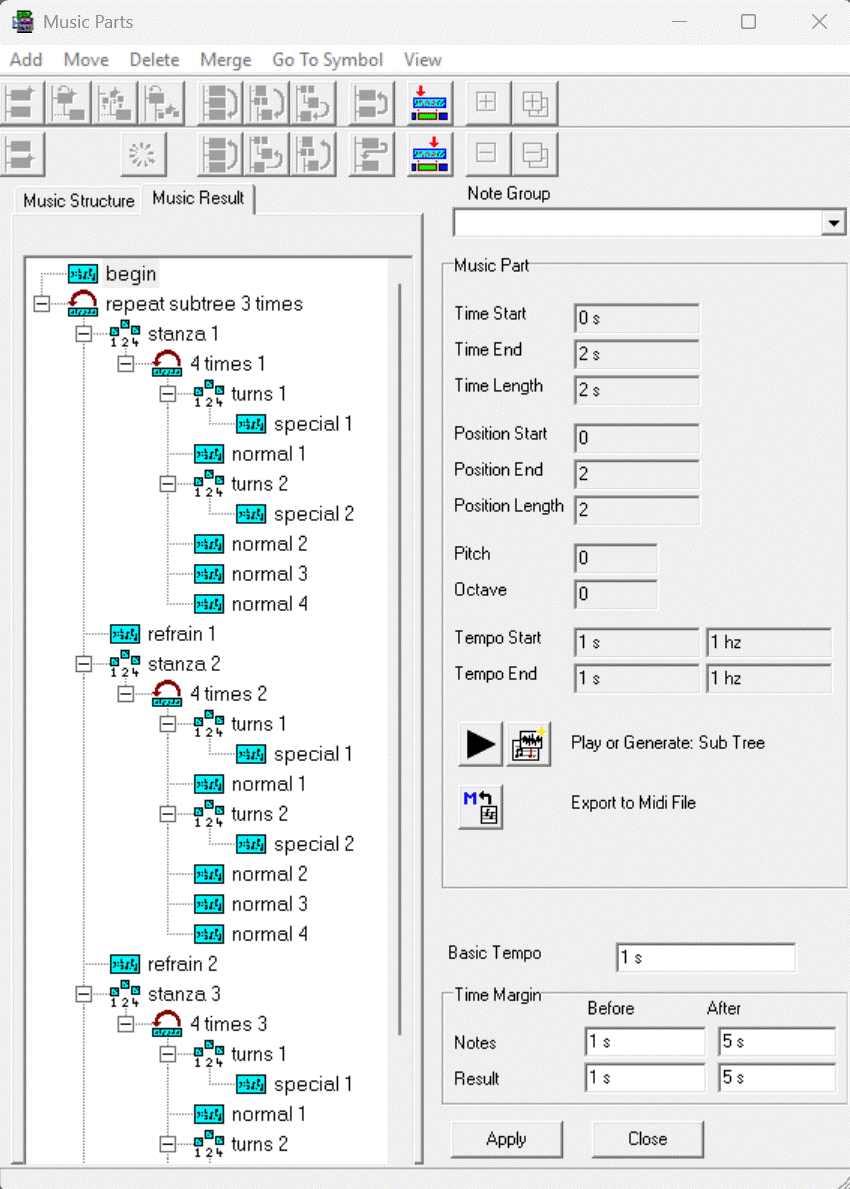
You can see when which Music Parts is played. Music Part "special 2" is selected. This Music Part is drawed two times, and no Turn is drawed. In the fields you can see when this Music Part is played, for how long, on what tempo and pitch.
Editing Music Parts en Turn Items:
- Create and Delete
- Moving a Music Part forward and backward
- split and Merge Single Music Parts
- Moving Music Parts in or out another Music Parts
- Moving cursor to begin or and of a Music Parts
- Specify tempo factors at begin of end of a Music Part
- Specify input and outputs volume factors at begin of end of a Music Part, when in context of a Note Group
- Specify input and outputs volume factors of a Music Part Turn, when in context of a Note Group
- Possible overrule a Player at a Music Part Turn, when in context of a Note Group
- Specify a Count for a Music Part Repeat
- Specify a Count, Pitch/Octave, Tempo for a Music Part Turn