Staves and Note Groups
Staves
- Give each Staff and its background a color.
- Add Help Lines to the bachground, which make adding high and low Notes easier.
- Changing the room up and down with the dialogbox or with the mouse in the Music window.
- Allow (or not) playing and drawing the Staff, when playing the Music Part of the whole Music Window.
- Assign a Factory for processing the result of the Staff.
- Navigate directly to the Staff drawed in the Music Window.
- Play or Generate Wave Window containing the sound of the Note Group seperately, before or after the Factory.
- Export the result of the Staff into a Midi File.
Note Groups
Each Note in a Staff belongs to one of the Note Group in the Staff.
You can create, edit and delete Note Groups. With Note Group you can...
- Make a own soundeffect for a Note, by connecting a Player to the note Group.
- Navigate directly to the Player.
- Change the Frequency for the Player.
- Give a Note a color and a shape.
- Play all Notes of this Note Group seperately.
- Assign a Factory for processing the result of the Note Group.
- Play or Generate Wave Window containing the sound of the Note Group seperately, before or after the Processing the result by a Factory.
- Set the Basic Height to Transpose the result of the music of the Note Group.
- You can easily enable or disable playing notes of a Note Group.
- Export the result of the Note Group into a Midi File.
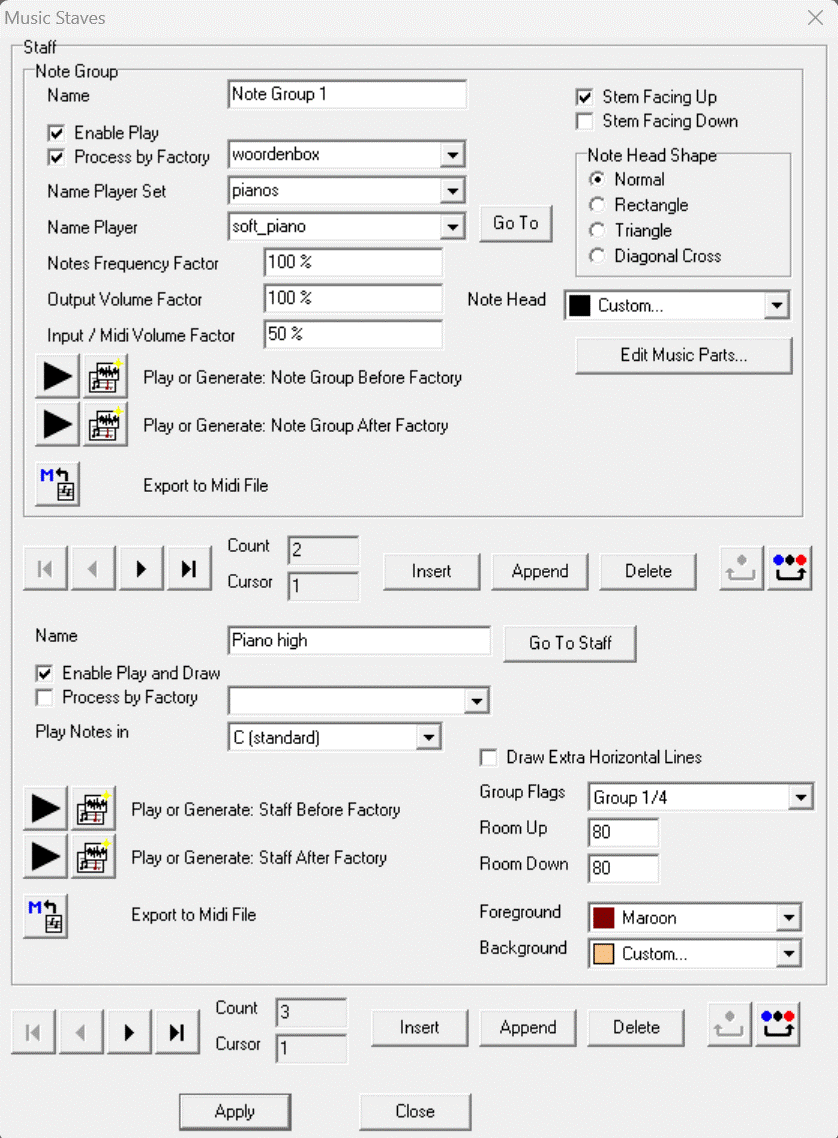
All settings for the current selected Note Group are in group Note Group. For example the Note group uses Player "soft_piano" in the Player Set "pianos". The Staff has two Note Groups, the first Note Group is selected here. All settings for the current selected Staff are in group Staff. For example the Staff uses 80 pixels background above and also under the middle of the Staff. The Music has three Staves, the first Staff is selected here.